
Mana for Kult - installation instructions
2025-02-17 v1.0
Thank you for purchasing Mana sound pack for Kult.
Automatic Installation
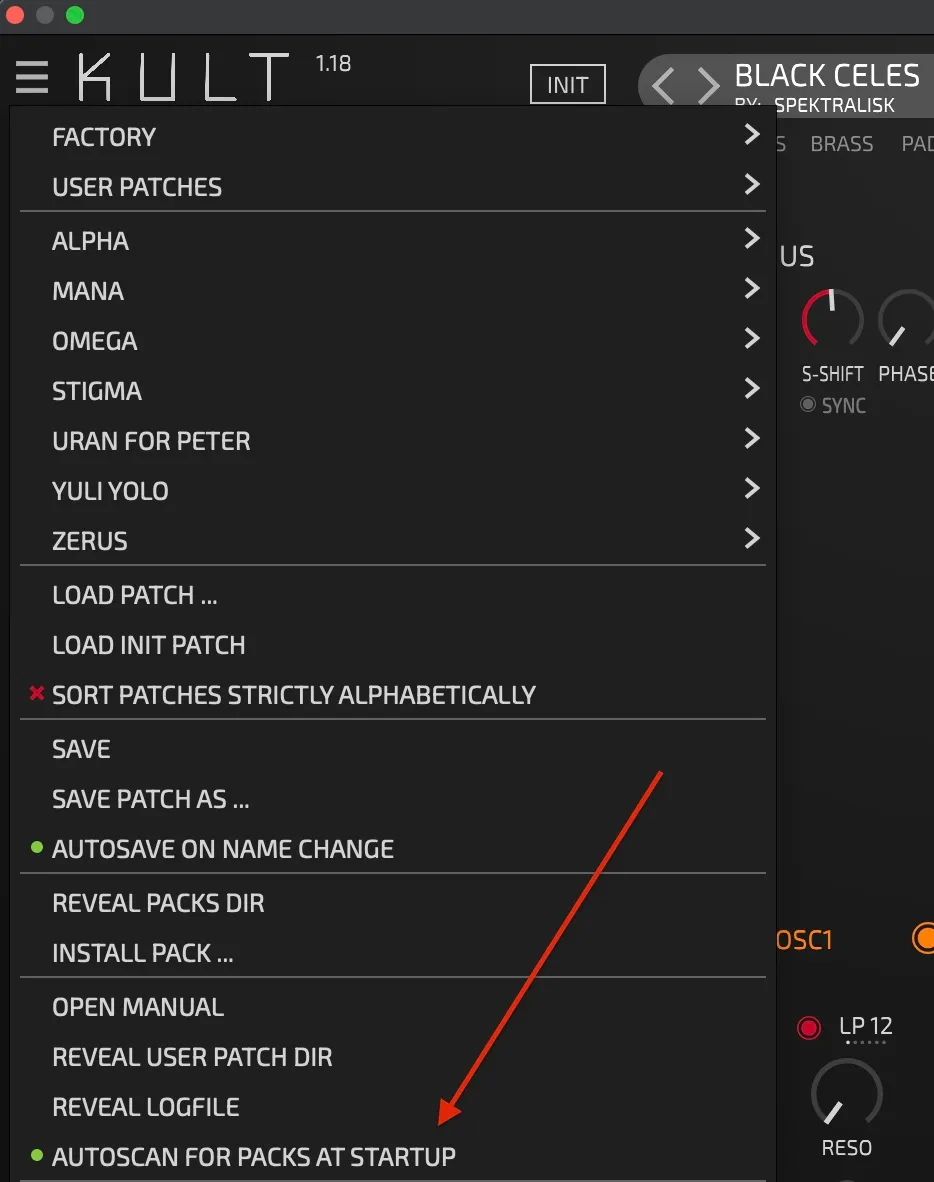
- Enable the “Autoscan for packs at startup” option in Kult menu
- Download the pack
- Kult will find the _KultPack.zip in users download folder, unpack, and install the Pack, and remove it from the downloads
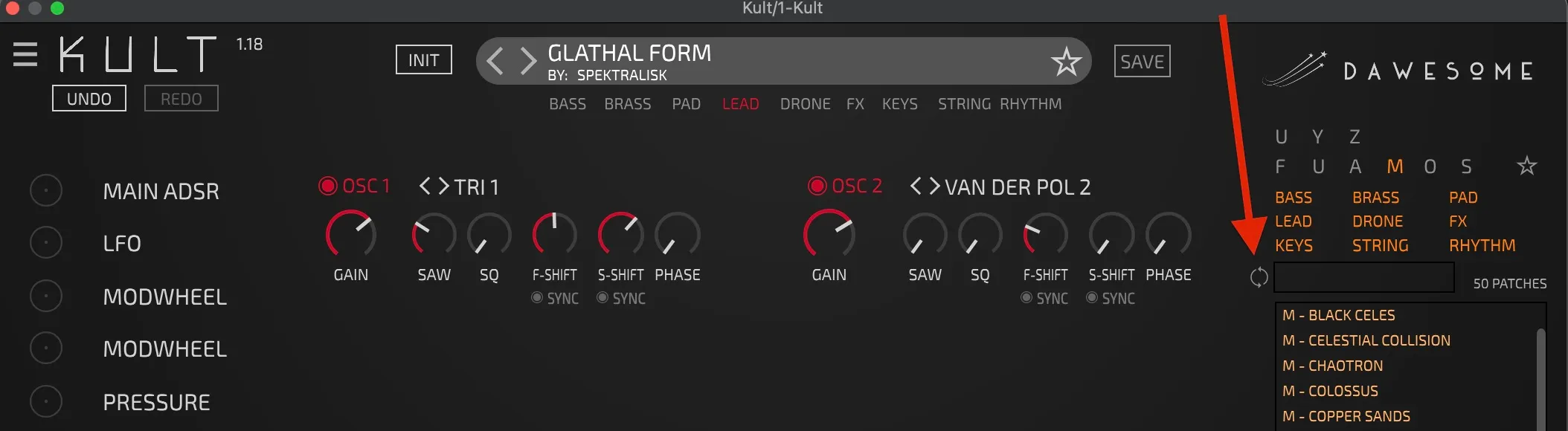
- You can always trigger installation with the “refresh” button in the right sidebar next to the text field
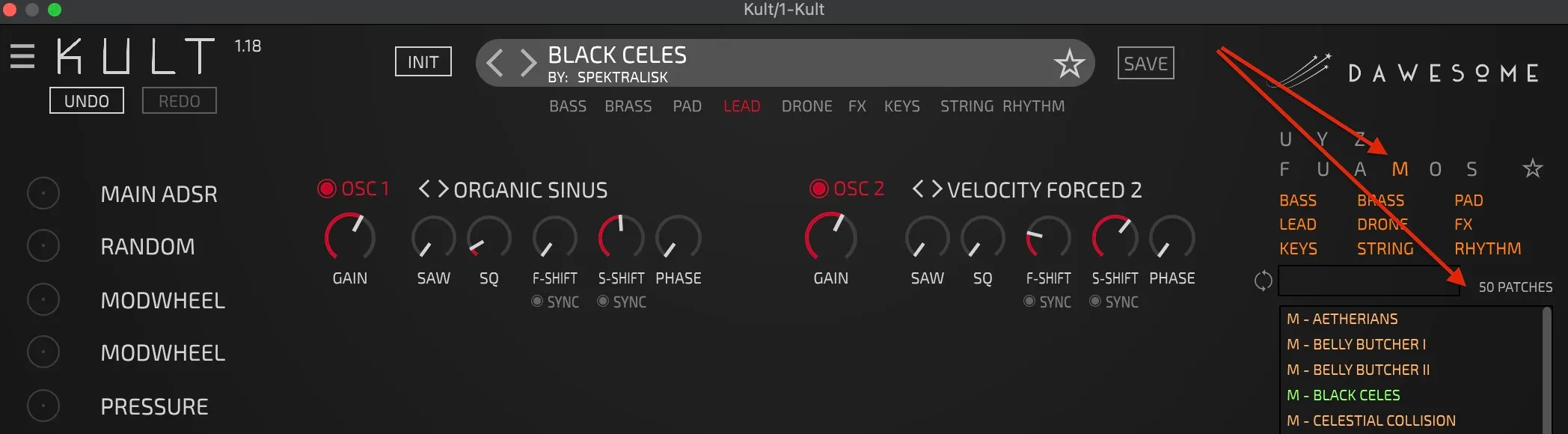
- The Mana pack will be available in the browser on the right side under the letter “M”, containing 50 presets

Manual Installation
- Download and unzip
- Open a single instance of KULT in your DAW
- Drag and drop the folder to the KULT user interface
- Click the “refresh” button in the right sidebar next to the text field (see the screenshot above)
- You can remove the .zip and the unzipped folder from drive afterwards
Hope you'll enjoy the patches and find them useful in your musical endeavours!